SnowRunner Multiplayer: Co-Op, Crossplay, and Fixes
SnowRunner multiplayer supports four-player co-op. Learn which platforms can play together, how hosting works, and how to fix common connection problems.
Jump to

Can You Play SnowRunner With Friends?
Getting a loaded truck buried in mud becomes a rescue job when friends are nearby. SnowRunner multiplayer supports up to four players total, letting you split deliveries, scout routes, and pull each other out of trouble. Before organizing a convoy, check platform compatibility and decide who will host the session.
Online co-op lets your group tackle contracts and missions across the game’s interconnected maps. You can join through private rooms or public matchmaking, whether you want a regular crew or help with a difficult haul.
Everyone drives their own vehicle, so the group can divide the work. One driver can explore ahead while another moves cargo and a third brings fuel or repair supplies.
Official page: SnowRunner (focus-entmt.com)
Which Platforms Support Crossplay?

Windows players on Steam and Epic Games Store can play with Xbox and PlayStation players. That includes the PS4, PS5, Xbox One, and Xbox Series X|S versions.
The original Nintendo Switch and Mac versions have separate multiplayer restrictions.
| Platform or version | Multiplayer compatibility |
|---|---|
| Windows: Steam and Epic Games Store | Crossplay with each other, Xbox, and PlayStation |
| PlayStation 4 and PlayStation 5 | Part of the PC, Xbox, and PlayStation crossplay group |
| Xbox One and Xbox Series X|S | Part of the PC, Xbox, and PlayStation crossplay group |
| Original Nintendo Switch | Multiplayer within its own platform |
| Mac | Multiplayer within its own platform |
The original Switch and Mac versions remain limited to their respective multiplayer groups. They also have content through Season 16, with no further updates or DLC scheduled and no Year 5 Pass available.
Check the exact version your friends own before buying a copy for co-op. A Steam purchase alone does not put the Mac version into the Windows crossplay group.
How Hosting and Co-op Progress Work
Co-op uses a peer-to-peer connection. The other players connect directly to the host’s system. Session information lives on the host’s machine, making the host’s connection an important part of a stable game.

Choose whose world you want to work on before starting. Use a private room for an organized group, or public matchmaking when you want other drivers to join.
Money and Driver Rank XP earned during co-op carry over. Keep those personal rewards separate from the decision about whose world your group is helping complete.
Before leaving, return your trucks to a garage and use Retain. Make that part of your session routine so your fleet is ready when you switch back to solo play or organize another convoy.
Because connections depend on every participant’s network settings, troubleshooting should include the whole group. A router, firewall, or ISP restriction on another player’s connection can affect whether you can join successfully.
Divide the Work Before You Leave the Garage
A convoy gets more done when its trucks have different jobs. Assign roles around the contract and terrain:
- Scout the intended route. Check crossings, tight turns, and rough sections before committing a loaded truck.
- Split cargo deliveries. Send multiple haulers for the materials a contract needs instead of making one driver repeat every trip.
- Bring support supplies. Equip a vehicle with fuel and repair capacity for trucks working far from the garage.
- Prepare for recovery. Keep a suitable truck available to winch a stranded teammate or help right an overturned vehicle.
Prioritize bridge repairs and road clearances along routes you expect to use repeatedly. Opening those passages can reduce the difficult driving your entire crew must repeat.
At river crossings, follow the scouted line closely. A nearby entry point can lead into deeper water, leaving the next driver with a very different crossing.
Use the winch deliberately during rescues. Position the helping truck before pulling, and avoid dragging a trailer sideways when doing so could overturn the truck attached to it.
For a change from cargo work, Season 7: Compete & Conquer includes checkpoint races against a friend in Tennessee. Its racing activities give your crew another reason to bring something besides a heavy hauler.
How to Fix Co-op Connection Problems
Start with the game update available for your platform. Patch 41 addressed Xbox account and permission problems, including an incorrect offline warning when creating co-op sessions.
Check the Connection First
If you use Wi-Fi, try a wired Ethernet connection. Check that SnowRunner is allowed through your firewall and antivirus software.
Try having another player host the session. Since everyone connects directly to the host, changing hosts can help narrow down which connection needs attention.
Check NAT status as well. Aim for Open or Moderate NAT, and review your router’s UPnP or port-forwarding settings if connections remain blocked.
Check the Required Ports
The connection troubleshooting ports are:
| Protocol | Port range |
|---|---|
| TCP | 11700–11710 |
| UDP | 48800–48810 |
Check these ranges in the router and firewall settings for all co-op players.
On Windows, create the firewall rules this way:
- Open Windows Defender Firewall with Advanced Security.
- Select Inbound Rules, then New Rule.
- Choose Port, select TCP, and enter
11700-11710under specific local ports. Allow the connection. - Create another inbound port rule for UDP, using
48800-48810, and allow the connection. - Open Outbound Rules and repeat both rules.
Check router port settings separately from Windows Firewall. Allowing traffic through one does not remove a restriction in the other.
Clear the Alternate MAC Address on Xbox
For persistent Xbox connection trouble:
- Open Network Settings.
- Select Advanced Settings.
- Under Change Settings, choose Alternate MAC Address.
- Select Clear.
- Allow the console to restart when prompted.
If the group still cannot connect after checking the game, firewall, router, and NAT settings, contact your ISP about restrictions on the required ports. Describe which players can host successfully and which connections fail so the troubleshooting can focus on the affected network.
Continue with
 SnowRunner PS5 Guide: Editions, Co-Op, Mods and DLCExplore SnowRunner PS5 editions, four-player co-op, crossplay, console mods, and the latest DLC. Plan your first deliveries and choose what to buy wisely.
Popular pages
SnowRunner Guide: Beginner Tips, Trucks and Map Order
Our SnowRunner guide covers the best first trucks, tires, gears, winching and map order so you can get through Michigan's mud without constant recoveries.
SnowRunner Best Trucks: Top Picks for Every Job in 2026
Find SnowRunner best trucks for heavy hauling, logging, scouting, and early missions. Compare capable rigs, key upgrades, and DLC options for your fleet.
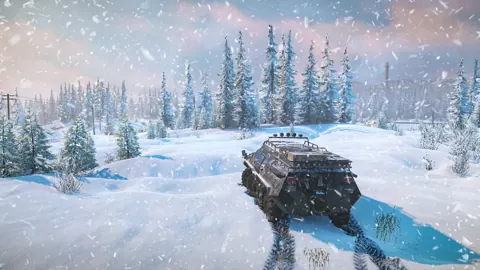
SnowRunner Maps: Every Region and the Best Order to Play
Explore SnowRunner maps across 22 regions and 56 maps through Season 19, choose routes, find upgrades, and prepare for the toughest winter deliveries.
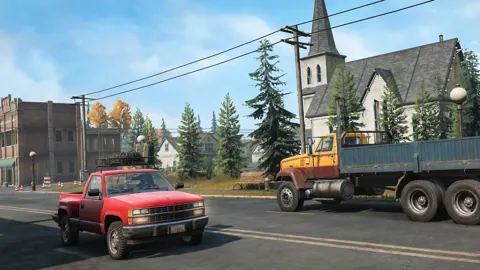
SnowRunner Upgrade Locations: Michigan, Alaska & Taymyr
Find SnowRunner upgrade locations in Michigan, plan routes through Alaska and Taymyr, and target useful engines, gearboxes, suspension upgrades, and AWD.
Join the community
Official channels for news, updates and player help: